Python
Please note, if you already have Python installed and know how to use it, you do not need to read this. This is a beginners guide to installing Python only
Python is a high-level programming language used for scripting, automation, and backend tooling.
For Makerthon26, Python is used to run a local WebSocket bridge that connects:
- Your Arduino (via USB Serial)
- Your browser app (Lovable) via WebSocket
The bridge simply translates messages between hardware and the web app.
Setting up Python
This guide is for Windows users.
We recommend installing Python using PowerShell so that it is automatically added to your system PATH.
Step 1 – Open Powershell (PowerShell Method)
Note: You must be connected to the internet. If any issues, contact us for help.
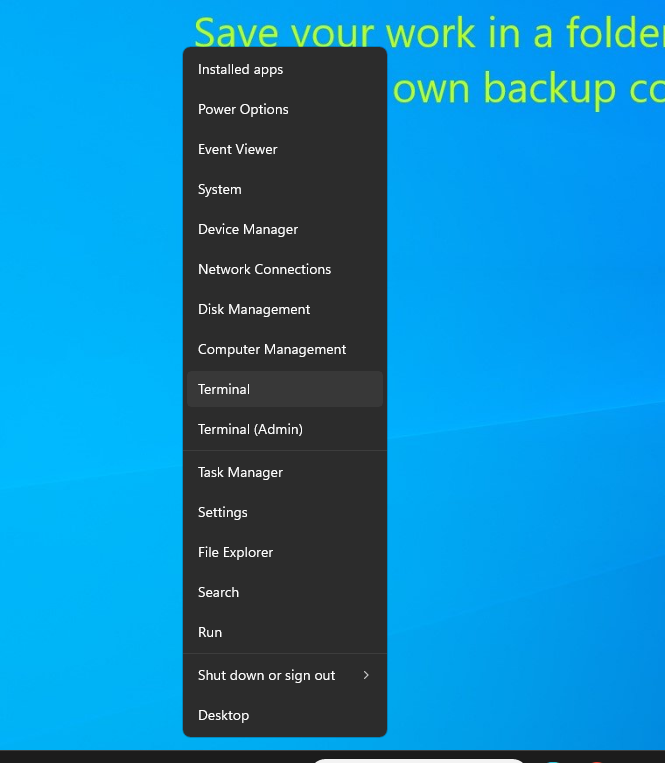
- Press
Win + X - Click Windows Terminal* / **Terminal / PowerShell
Step 2 – Search for Python installs using winget command:
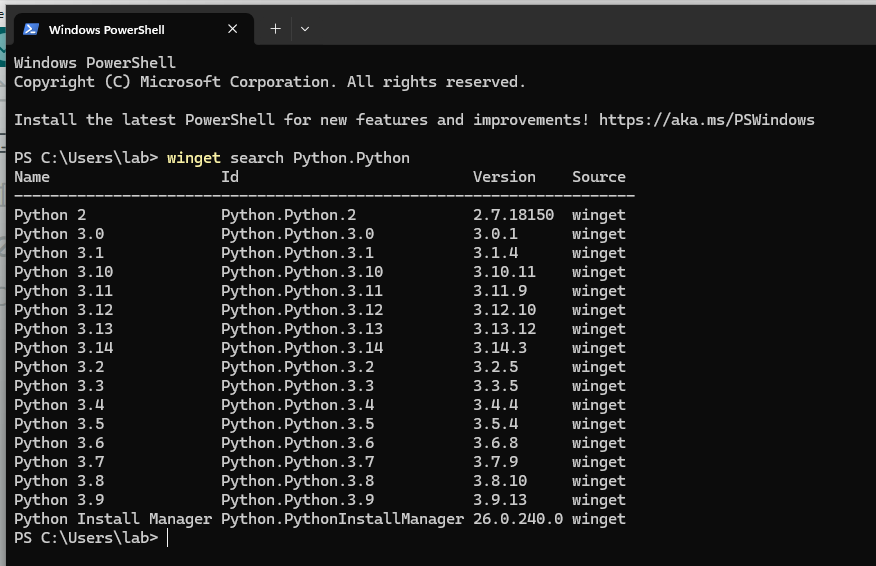
- Run `winget search Python.Python`
- You should see a list of available python versions to download
Step 3 - Install a Python version
- We’re installing Python v3.12
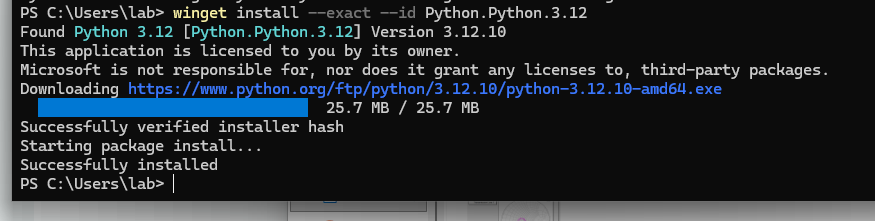
- Run
winget install --exact --id Python.Python.3.12(Note: the--exactand--idjust makes sure there is no name conflicts) - When prompted, type
Yto accept conditions - Python will be installed succesfully and PATH variable updated automatically.
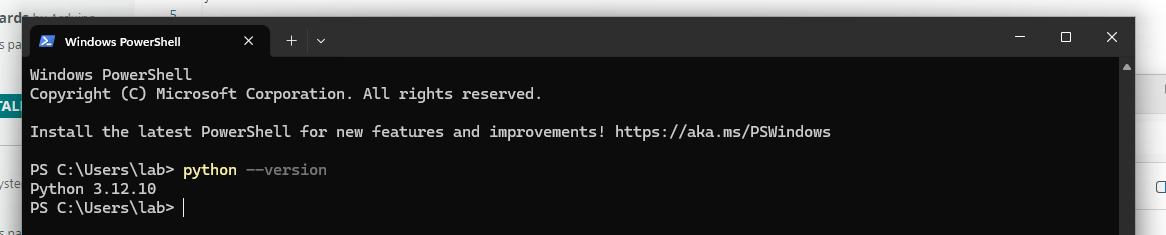
Step 4 - Verify installation
- Close PowerShell first (we have to relaunch the terminal because it needs to refresh PATH Variables)
- Reopen PowerShell according to step 1
- Run the command
python --version - It should output “3.12.10” or something similar
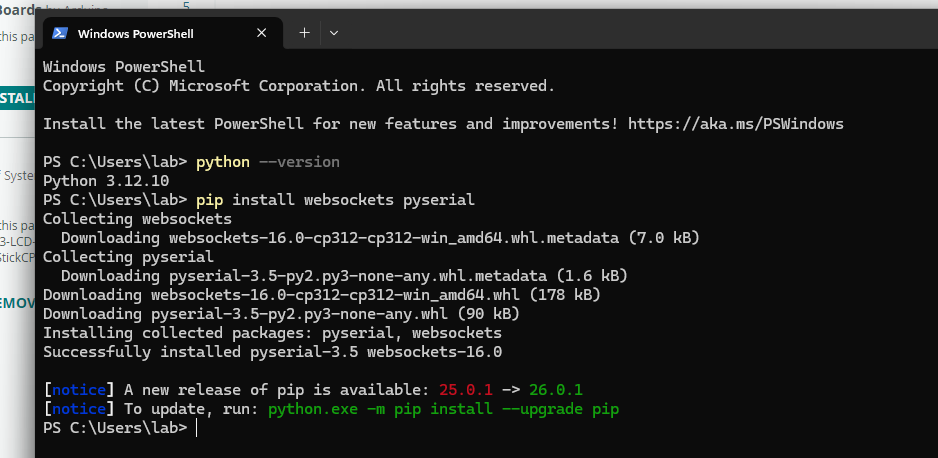
Step 5 - Install dependencies for this Makerthon
- Run
pip install websockets pyserial - It should install websocket and pyserial libraries