Challenge0: Servo IRL
💪 Challenge 1
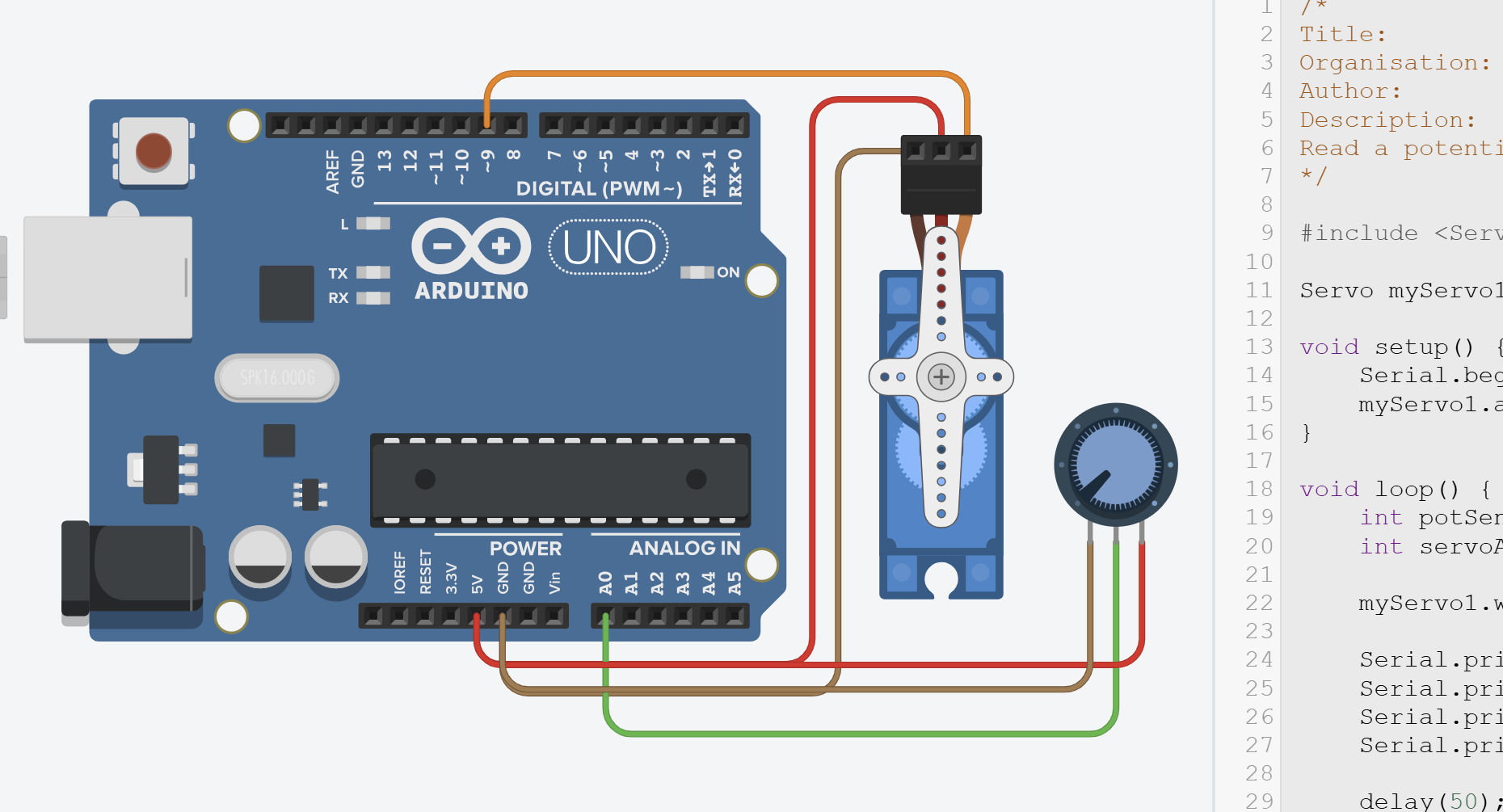
Build the circuit in Task 4 on the breadboard (don’t be put off if it doesn’t work immediately!)
You’re first real challenge! Challenges are unguided to test your abilities.
Don’t worry, you’re still allowed to use any resource to help you complete it including:
- Internet Resources
- Generative AI (make sure to understand it’s suggestions! TAs will quiz you 👀)
- Ask a TA (though do this after trying the above. Problem-solving is what makes you a good engineer!)
Objectives
- Using your code and designs from Task 4, build the circuit in real life!
- Once you’re done and it’s working, show a TA.
Equipment
- TinkerCAD account (with design from Task 4)
- x1 Arduino Uno
- x1 Servo (9g or any other)
- x1 Potentiometer
- x6 Male-to-Male jumper wires
Useful Advice (Hopefully)
- Arduino IDE 2 is already installed on all the lab PCs (Note: there are two Ardunio IDEs installed on each PC. Use the newer version.)
- If you want to install Arduino IDE on your own PC, check out How to setup Arduino IDE.
- If you’re unsure how to upload a sketch to an Arduino (how to add libraries, how to select a COM port, etc.), check out How to upload a sketch to Uno.
- Make sure to use the tip from Task 0 and upload a simple blinking onboard LED first to check your Arduino works. To save you writing the code, go to
File > Examples > 01.Basics > Blink
By the way!
Make sure to try yourself, but of course, don’t spend the whole lab on this! If you can’t get it working in 3-5mins, please call a TA to help out. There’s so much more fun stuff to do, don’t get stuck on this step.
Media